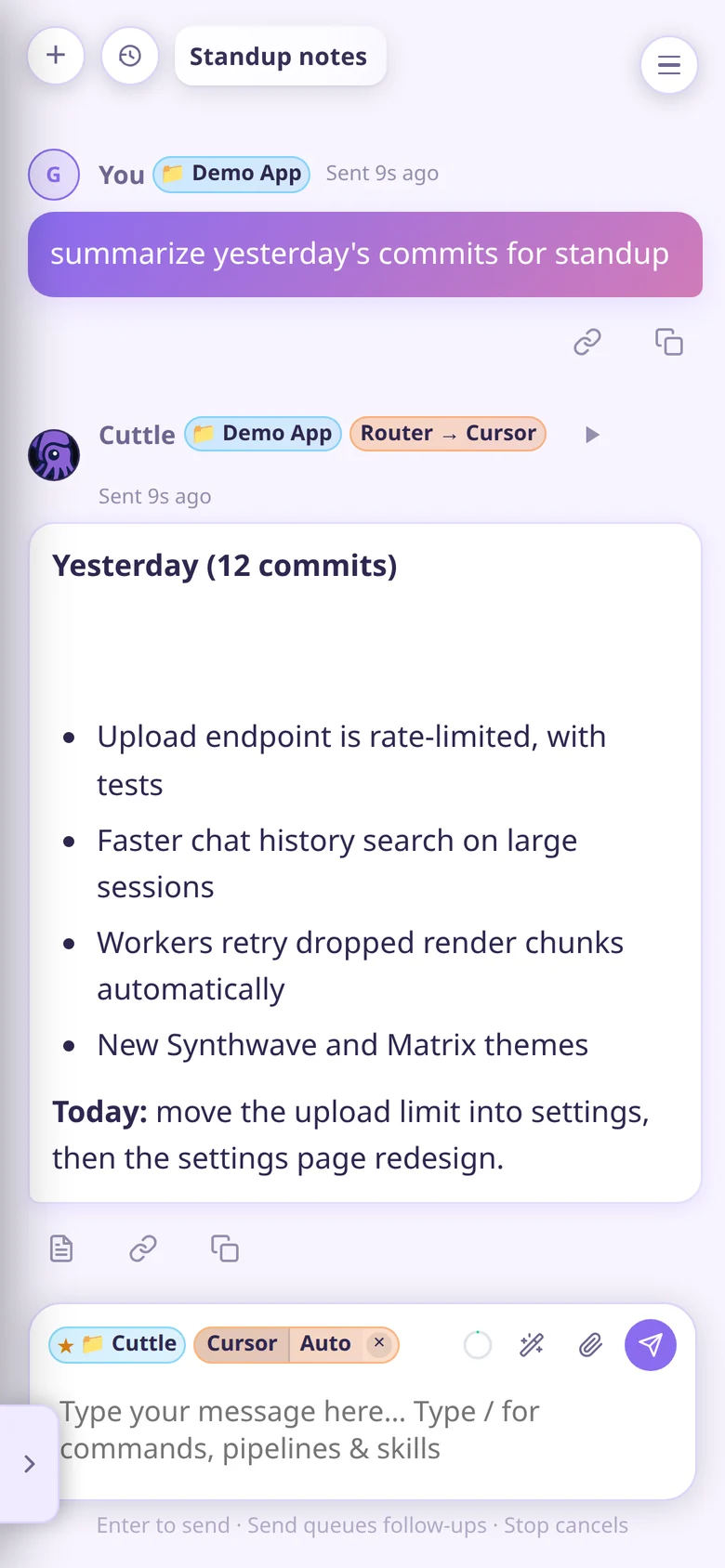
Run Cursor, Codex, Claude, Muse Code, and OpenCode side by side, from your desktop, your phone, or Discord.
Self-hosted on your machines, and yours to reshape.
Pick an agent per chat or let the router choose. Every turn streams progress, keeps a task list, and asks for
decisions as clickable cards.
Visible work
Agents that show their work.
Follow each turn as it happens, then approve the next step without typing a word.
Collapsible progress notes on every reply
Pinned Tasks lists the agent creates and ticks off
One-click action forms for questions, approvals, and restarts
Rate-limit uploads
Rich answers
Answers you can read at a glance.
Agents reply with tables and Vega-Lite charts that render inline, so reports look like reports.
Markdown tables, Vega-Lite charts, and code blocks
Images and PDFs in, with a vision pre-pass for every harness
Shared history across web, desktop, phone, and Discord
Agent costs this week
Workspace
Split, resize, switch spaces.
Tile chats and dashboards any way you like. Every space keeps its own layout, so a build, a review, and a render can each have a home.
Split any pane horizontally or vertically
Drag dividers to resize
Desktop tabs for spaces, each with its own layout
Cuttle · spaces
Model benchmarks
Know which model earns its cost.
Compare providers by cost, pass rate, and speed in one interactive 3D view, next to what your own agents actually spent.
Model Benchmarks across every provider
Per-agent cost and performance tracking
A router that escalates when a cheap run fails
Dashboards · Model Benchmarks
Open source · MIT
Make it yours, one prompt at a time.
Cuttle is built to be changed by the agents it hosts. Open a chat on the Cuttle repo, describe what you want, and
watch it reshape itself around your workflow.
CuttleCursor
add a Pomodoro timer to the left rail
add a Pomodoro timer to the left rail
build a dashboard that charts my agent spend by project
make a theme from the colors in this screenshot
add a /deploy command that uploads my game to itch.io
give my Discord bot a daily standup summary
Settings · Theme
No build step
The UI is plain HTML, CSS, and vanilla JS served by Flask. Refresh and the change is live; Python changes apply from a one-click restart card.
Agents arrive briefed
AGENTS.md, Cursor rules and skills, and .cuttle/docs runbooks tell a fresh agent where things live and what not to break.
Customize without forking
A project's .cuttle/ folder adds its own slash commands, clickable actions, rules, and docs. Personal tweaks stay out of git.
Swap any part
Harnesses, the router's brain, and local or cloud models are all sockets. Bring the agents and models you trust.
Features
Everything around the agents.
The parts a single CLI doesn't give you: routing, fan-out, a LAN mesh, and a home for every project.
Agent router
Picks a harness on fresh chats and escalates when a run fails: Cursor Auto, then Grok, then the Codex fallback chain. Stop is always final.
Sub-agents
Fan a task out into real child chats across harnesses for votes, critiques, or parallel research, then get one synthesized reply.
Cuttle Workers
Every PC on your LAN becomes a worker: file copy, shell recipes, a Blender render farm with work stealing, and self-update.
Projects that brief agents
Each project's .cuttle/ rules, commands, and docs are compiled into every turn by Cuttle Brain, whichever agent runs it.
Desktop, phone, Discord
An Electron Host and LAN Clients, an Android app, and Discord DMs all open the same chats and history.
Mid-turn steering
Send a follow-up while Codex or Muse Code is working and it lands in the live turn instead of waiting in a queue.
Local models
Ollama and llama.cpp paths for cloud-off work, with requests queued so one GPU never gets swamped.
Agent ops CLIs
Agents drive Cuttle through python -m api.* verbs for chats, widgets, Discord, workers, and more, not raw SQL.
Get started
Up and running in minutes.
Clone the repo and run setup to install dependencies and open the desktop Host. Provider keys are optional, and your data lives in your per-user Cuttle home.
Windows 10/11 or Ubuntu 24.04+ (22.04 with a Python 3.11 install)
Python 3.11+ with python3-venv on Linux; Node.js 22.12+ for desktop
Install and authenticate your chosen agent CLIs separately: Cursor, Codex, Claude, Muse, OpenCode, …
For browser-only setup, add --browser on Linux or -Browser on Windows, then open https://127.0.0.1:8080.